Figma plugin for responsive UX audits

Kick-start a UX audit from any website.

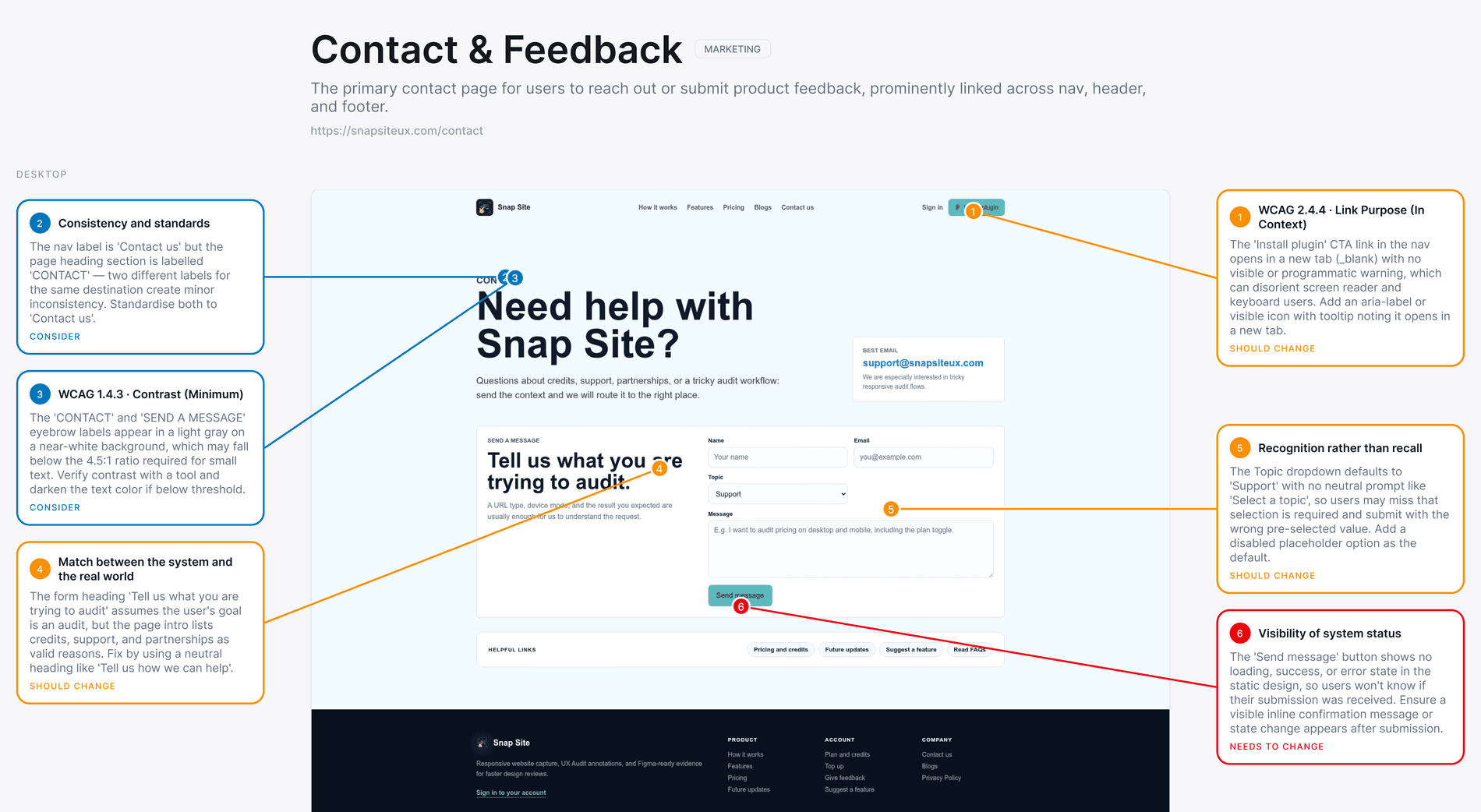
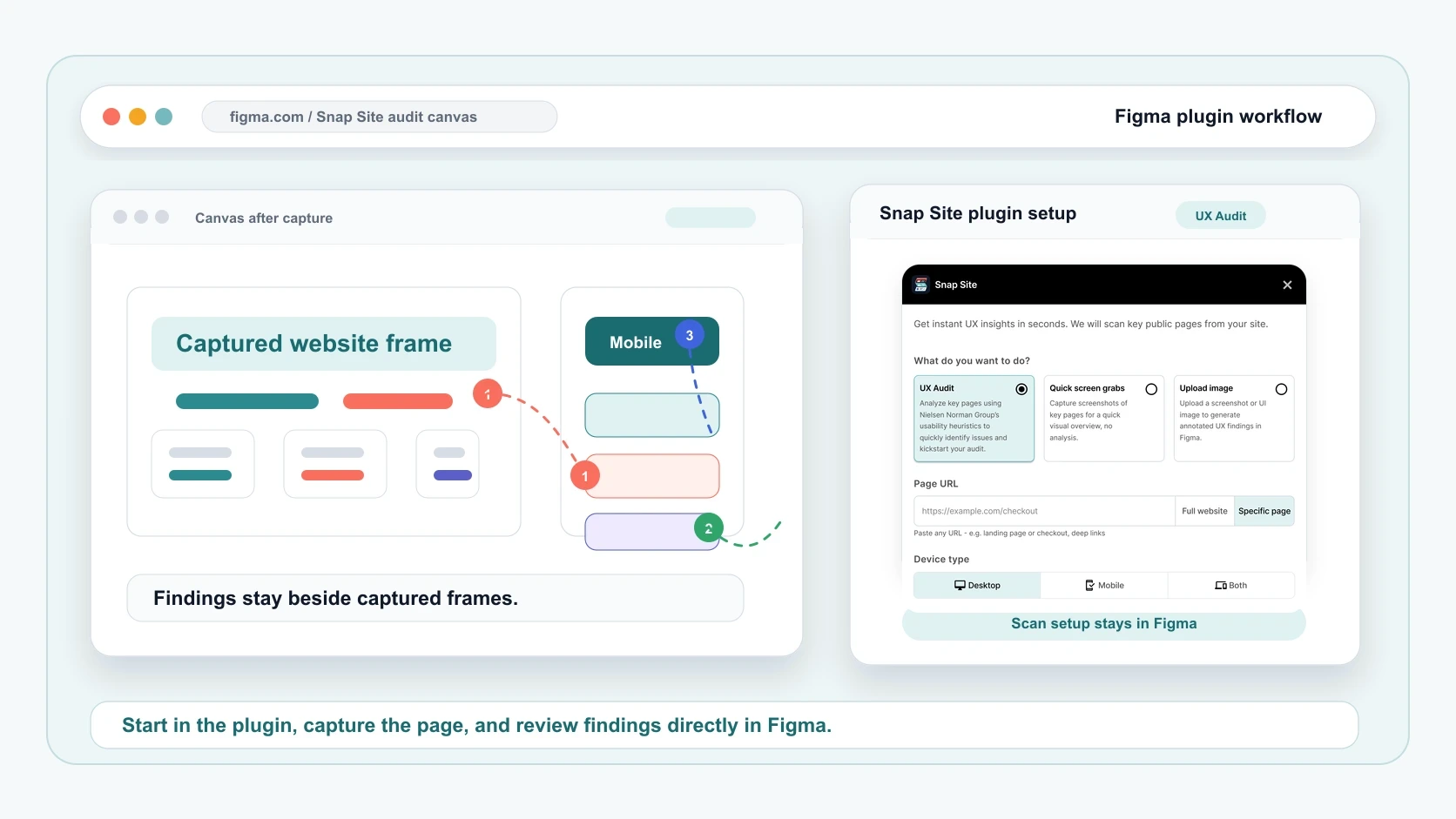
Snap Site captures the important pages, compares responsive devices, and adds UX insights as annotations directly on the screenshots in Figma.

Responsive audit starterCapture desktop and mobile together before review.
UX insights on-pageAnnotations point to the exact place that needs attention.
Heuristic first passNN/g, accessibility, and visual design prompts guide the scan.
captured-site.com
1
2
Snap Site
UX AuditFind friction
SnapshotCapture pages
https://example.com/pricing
DesktopMobileBoth
Start analysis
12 pages mapped
3 high-impact notes

Built for the review before the redesign

Who uses Snap Site?

Design teams, product teams, founders, and agencies who need to understand a website quickly before deciding what to improve.
Product designersCapture the current site, annotate UX friction, and walk into critique with shared evidence.Example: audit pricing, onboarding, and mobile nav before a redesign.
UX researchersTurn heuristic review prep into visible talking points for the team.Example: flag unclear labels, dead ends, and missing feedback patterns.
FoundersSee what your website communicates before a launch, pitch, or investor update.Example: compare desktop and mobile landing pages in one canvas.
AgenciesKick off client audits without rebuilding the whole site in Figma.Example: deliver an annotated first-pass audit as a discovery artifact.

How it works

From messy website to useful Figma file.

The story is intentionally simple: open the plugin, guide the capture, then use the canvas to decide what needs attention.

0:08
Launch

Launch

Open Snap Site in Figma

You are at the start of a review and need evidence fast. Choose UX Audit for annotated findings or Quick Snapshot for a visual map.Pick audit or snapshot
0:09
Guide

Guide

Paste a URL and set the capture

Tell Snap Site what matters: one page, the whole site, desktop, mobile, both, or a specific state like pricing or signup.Tell it what to inspect
0:10
Review

Review

Get an organized Figma canvas

The output becomes the shared room: responsive screenshots, visual cues, and UX annotations ready for discussion.Work from the canvas

Why teams use it

Less screenshot admin. More useful UX audit conversation.

“Teams” means the people around a website decision: designers, researchers, PMs, founders, agencies, and clients. Snap Site gives them the same responsive evidence, then leaves room for a human UX call.

01

Quick audit setup

Paste a URL and start a structured UX Audit without gathering screenshots, page names, and responsive references by hand.

02

Desktop and mobile

Capture desktop, mobile, or both in one run so teams can compare responsive behavior without stitching screenshots by hand.

03

Annotated UX insights

AI-assisted findings are placed on the captured page, so the issue, device, and visual context stay together during review.

04

Accessibility and visual checks

The audit pass considers Nielsen Norman heuristics, WCAG 2.2 A/AA checklist guidance, visual hierarchy, contrast, affordance, and consistency.

Made for real viewports

Desktop and mobile are treated like first-class evidence.

Choose one viewport when you need speed, or capture both when the question is layout, navigation, hierarchy, or conversion behavior.

UX Audit mode

NN/g heuristic principles, used as a thoughtful starting point.

Snap Site uses Nielsen Norman Group usability heuristics to flag possible issues like unclear system status, weak affordances, inconsistent patterns, and preventable user error. The notes are not a final verdict; they are a faster first pass for a human UX review.

Read the NN/g heuristics article
High friction

Primary CTA loses contrast on mobile hero

Needs fix
Navigation

Pricing path is two clicks deeper than expected

Should fix
Trust cue

Customer proof appears after a long scroll

Consider

Pricing preview

Start free. Upgrade when it becomes part of the ritual.

Free

Try the workflow

3 captures/month
Starter

For solo audits

$12/month
Power

For weekly research

$39/month

Blogs

Notes from building better website audits.

A small editorial space for UX audit checklists, responsive review examples, and behind-the-scenes Snap Site updates.

Guide

How to start a heuristic website audit in Figma

Checklist

What to compare between desktop and mobile captures

Product note

Designing annotations that help, not distract

Private beta

Give your next website review a faster starting point.

Tell us what you audit most often and we will get you onto the early access list.