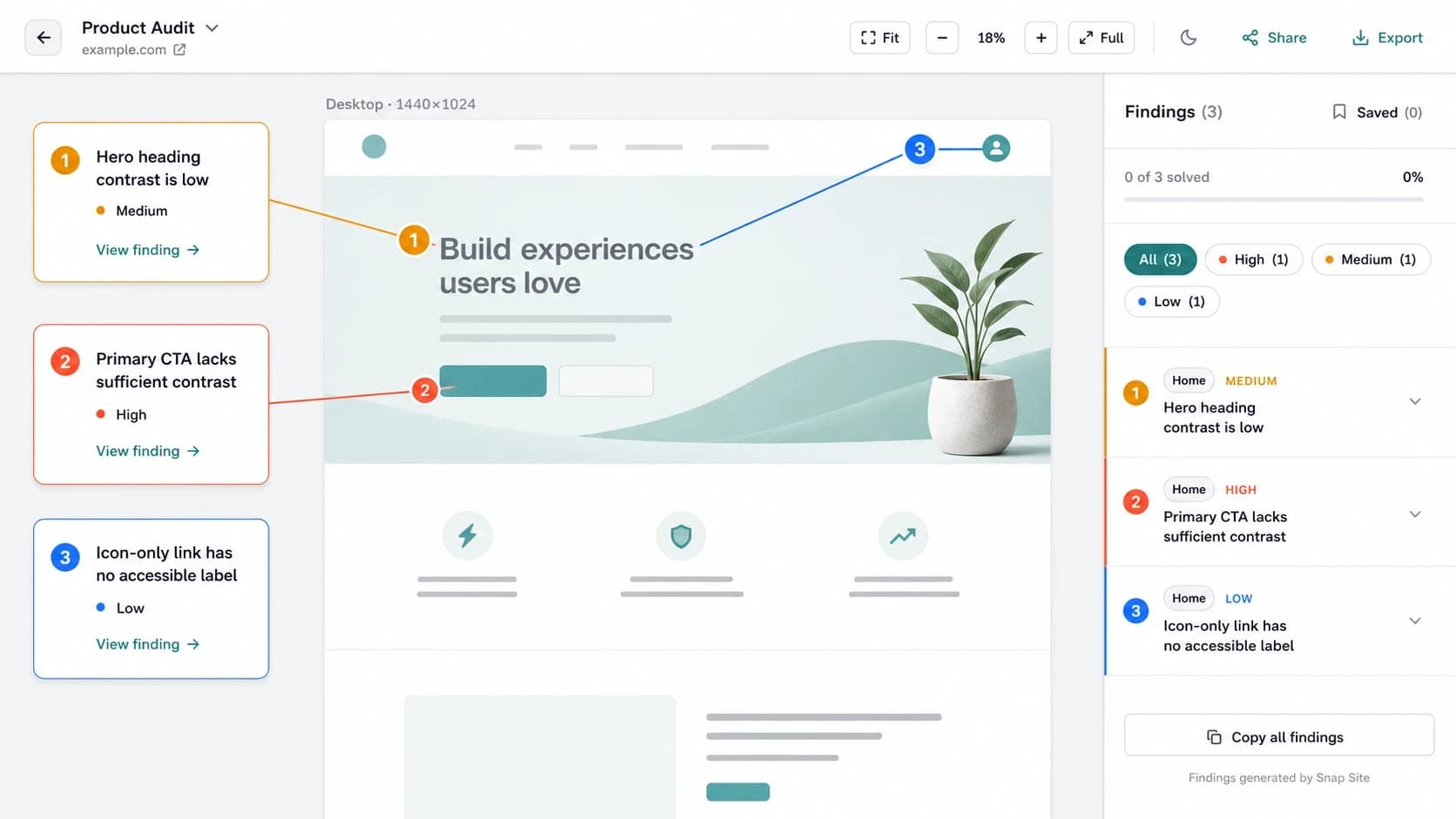
Designing annotations that help, not distract
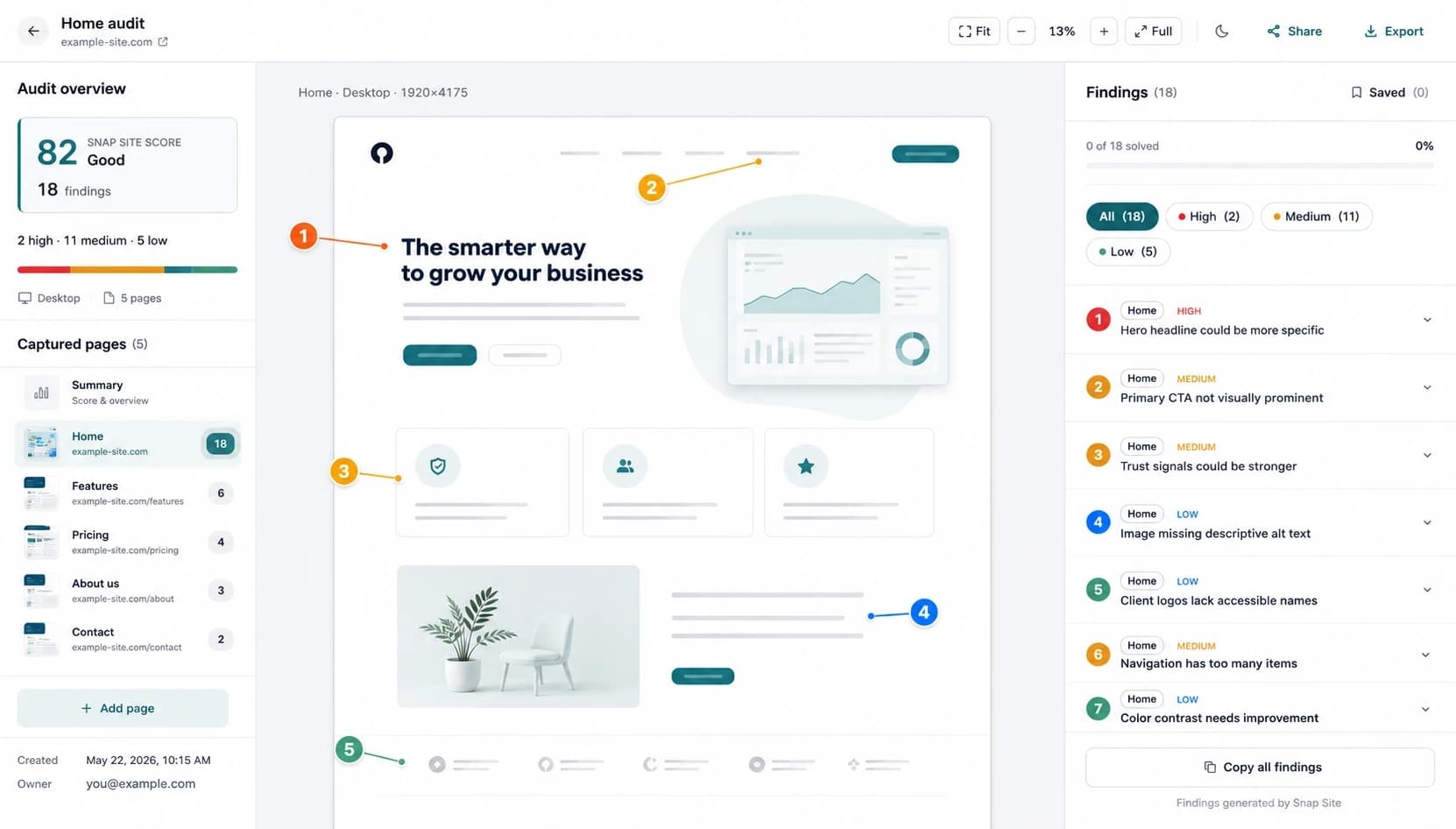
How Snap Site keeps AI-assisted notes close to the page without turning the canvas into a wall of comments.
Blog
Guides, checklists, and product notes for planning audits, comparing responsive states, and keeping annotations useful.
How Snap Site keeps AI-assisted notes close to the page without turning the canvas into a wall of comments.
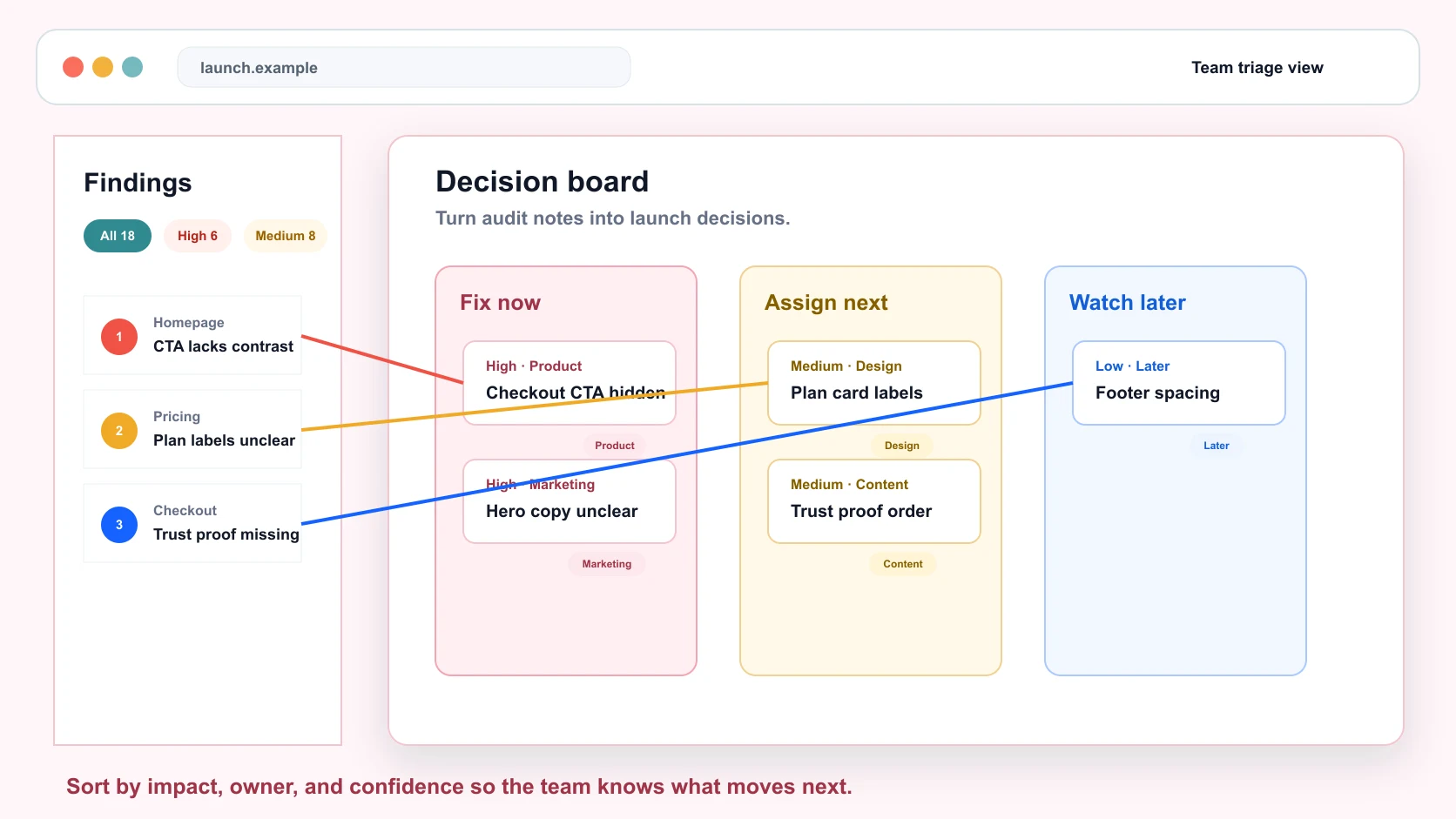
A simple way to turn UX audit notes into decisions: what blocks users, what affects launch confidence, and what can wait.
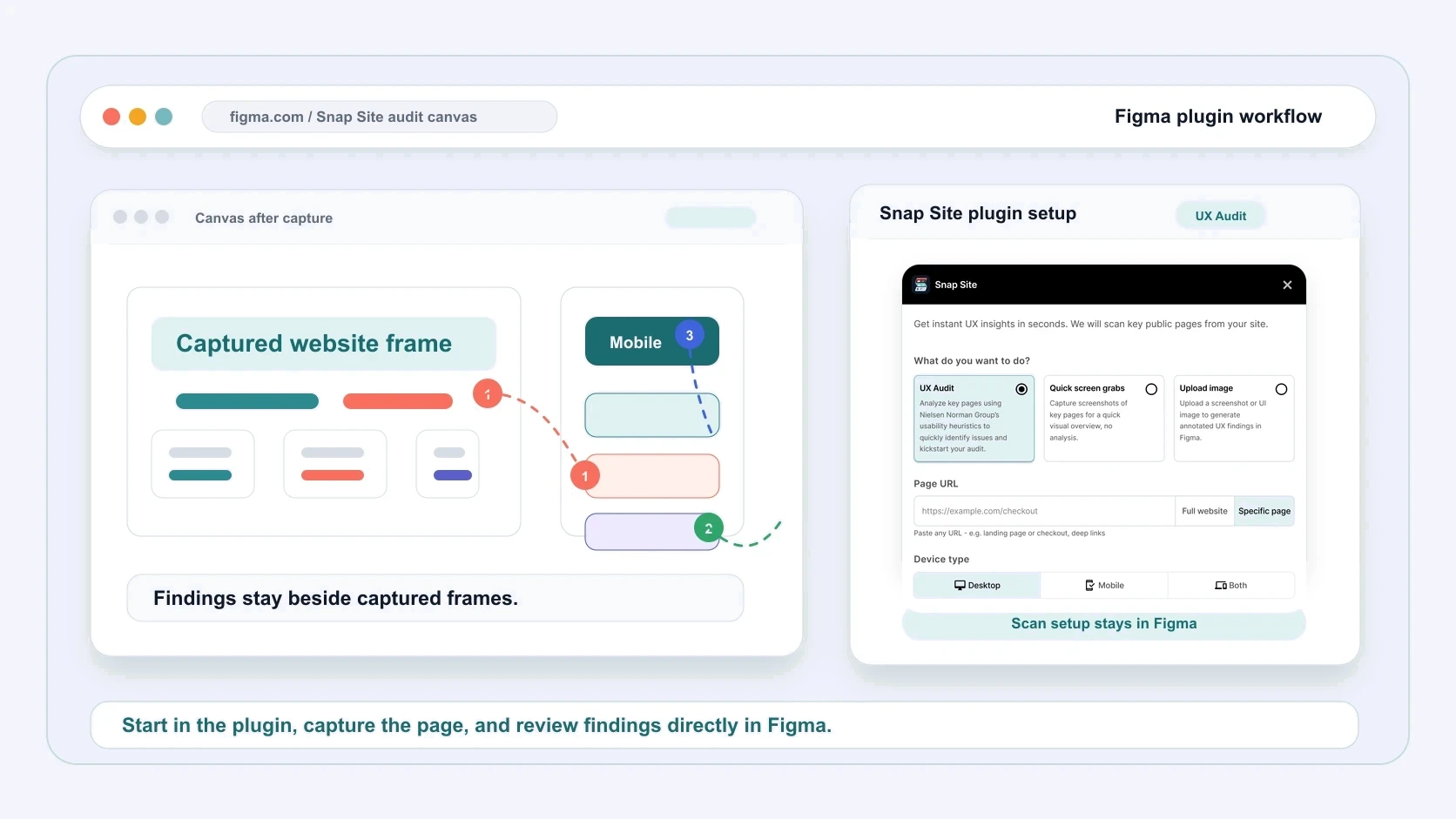
Use the Snap Site Figma plugin to capture a live page, compare desktop and mobile side by side, and add AI-assisted UX annotations without leaving your canvas.
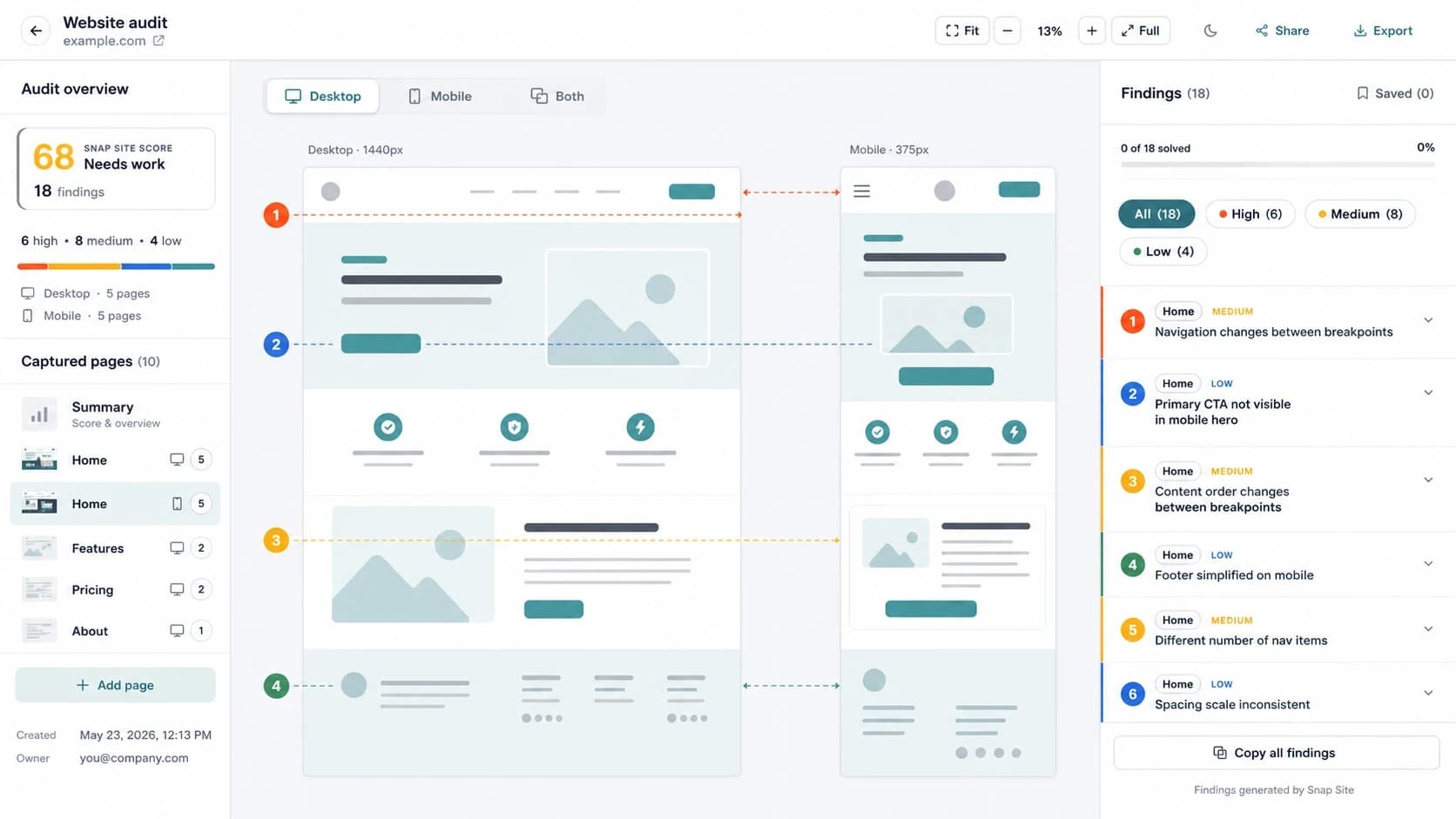
A short list for spotting hidden CTAs, cramped pricing cards, broken navigation, and layout shifts before critique.
A focused pass for checking clarity, hierarchy, trust, accessibility, and mobile behavior before the team starts changing layouts.